Find the number you need.
| Your question | Where to look |
|---|---|
| What remains now | Account allowance and reset for the selected window. Start with the provider guides below. |
| What I used before | Codex daily tokens and model messages; Cursor token fields and UTC dates |
| What I will be charged | Use the provider’s billing or credits page for balances, purchases and spending controls. A remaining percentage cannot reconstruct a bill. |
Seven services. Clear differences.
TokenVive supports Codex, Claude Code, Cursor, GitHub Copilot, Grok, Antigravity and Muse. Keep work and personal accounts distinct, then switch between them without opening every provider’s website.
Each service exposes different data. This is what you can currently view:
| Service | Usage limits | Usage analysis |
|---|---|---|
| Codex | Supported | Messages and tokens |
| Claude Code | Supported | Not available |
| Cursor | Supported | Tokens; no message counts |
| GitHub Copilot | Supported | Not available |
| Grok | Supported | Not available |
| Antigravity | Supported | Not available |
| Muse | Supported | Not available |
Cursor support covers personal accounts on the existing Cursor dashboard; team accounts are not supported. Check the Cursor guide for current plan coverage.
History, available fields and update timing depend on the provider and your account. Remaining usage percentages, credits and balances are not converted into message counts or absolute tokens.
Copilot: legacy requests, AI credits and current coverage · Muse: personal weekly remaining usage and reconnecting.
Know what a number is telling you.
Allowance, reset and account
Read the remaining allowance together with its period and reset time, when supplied by the service. A short-term limit and a weekly limit describe different windows; one should not stand in for the other.
Keep the selected account in view, especially when moving between personal and work accounts. For Codex-specific steps, read how to check Codex usage limits and resets.
Usage limits and analytics answer different questions
Remaining usage shows how much is available now. Supported message and token analytics describe recorded use. An unavailable field stays unavailable instead of becoming a misleading zero.
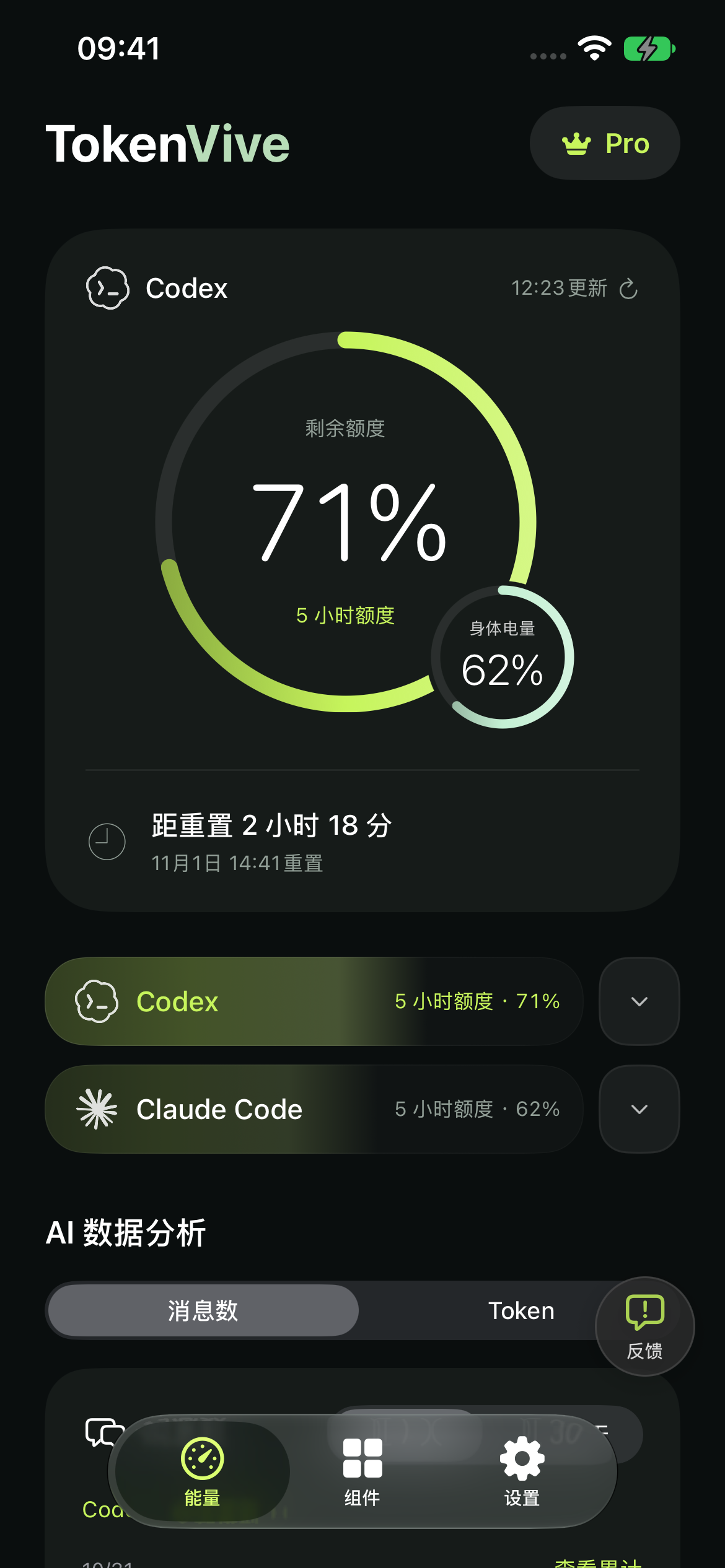
Start on iPhone. Keep it close on Watch.
- Choose a service in Settings. Follow TokenVive’s prompts to sign in on the provider’s official page and finish the connection on iPhone.
- Check your account and refresh. Look at the remaining usage, period and update time before comparing accounts.
- Open TokenVive on your paired Apple Watch. Open both apps once. Your iPhone syncs the credentials the watch needs to query supported services directly.
Sign-in, expired-session reconnection and credential renewal happen on iPhone. The app requires iOS 17 or later; the watch app requires watchOS 10 or later. AI connections and data refreshes require active membership or remaining trial access.
For Home Screen and Lock Screen widgets, choose the connected account and usage window you want to display. Follow the iPhone AI usage widget setup guide to add a widget, select its source and check missing or older readings.
For sign-in or paired-device issues, see connection and sync help.
Check where the data comes from.
| Path | What it needs |
|---|---|
| Direct account query | TokenVive queries supported provider data from your devices. Sign-in starts on iPhone; supported Watch queries use credentials synced from it. A running Mac is not required for this path. |
| Computer collection and forwarding | Some companions relay a computer’s readings. CodexBar-Mobile documents a Mac → iCloud → iPhone path; check that project’s setup and availability requirements. |
| Run or control AI tasks | Official Codex mobile documentation describes tasks in the cloud or on a connected computer. Task execution is a different need from displaying account allowance. TokenVive does not run those tasks. |
Examples follow the projects’ documentation read November 15, 2026: CodexBar-Mobile · Codex mobile.
Read the update time, too.
A failed refresh preserves the last successful result and its original update time. Background transfers and widget refreshes are scheduled by the system, so they may arrive later than a manual refresh in the app. Reconnect on iPhone when a service asks you to sign in again.
Your devices query the selected AI services directly. Credentials are stored in Keychain and shared with your paired watch for supported queries. You can disconnect an account in the app. Membership verification and support have their own data flows, described in the privacy policy.